no-cache vs no-store: What's the Difference?
Cache-Control: no-cache doesn't mean 'don't cache'. Here's what no-cache and no-store actually do, when to use each, and why the names are misleading.
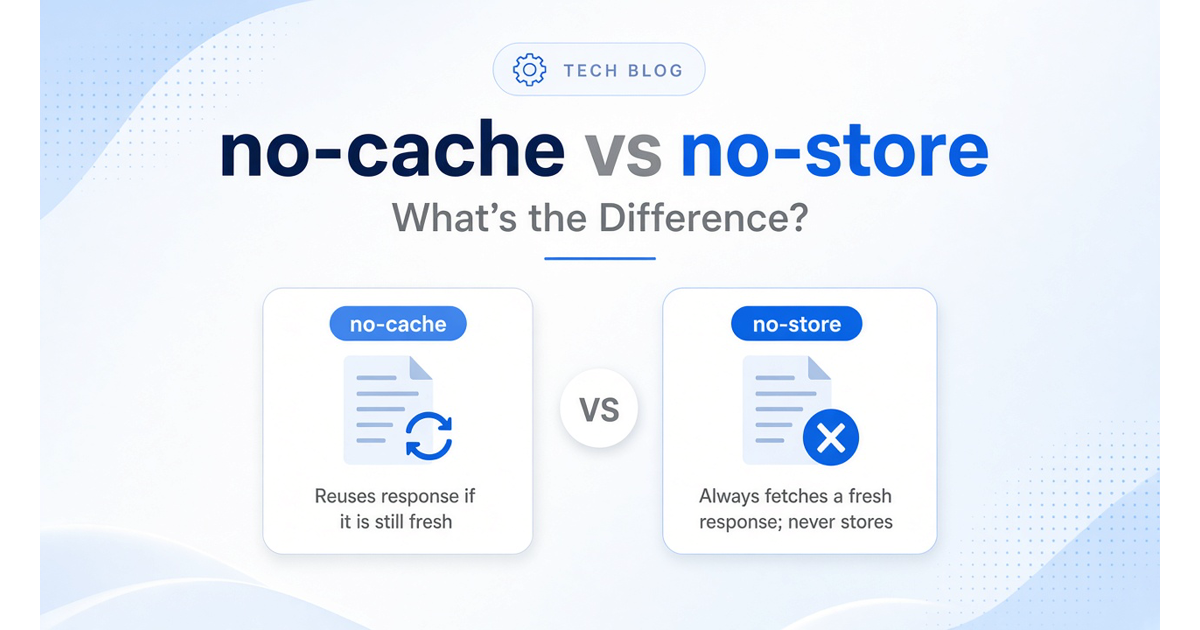
The Cache-Control header includes two directives that sound similar but do very different things: no-cache and no-store. Despite the names, no-cache doesn't mean "don't cache" — and that confusion causes real problems.
Here's what each directive actually does, when to use which, and how they fit into HTTP caching.
The Misleading Name: no-cache Does NOT Mean "Don't Cache"
The misconception:
Many developers read Cache-Control: no-cache and assume it tells caches not to store the response at all.
What it actually means:
no-cache allows caches to store the response, but requires revalidation with the origin server before each reuse.
From MDN:
> Note that no-cache does not mean "don't cache". no-cache allows caches to store a response but requires them to revalidate it before reuse.
How revalidation works:
When a cache receives a request for a cached response marked no-cache, it must contact the origin server first. Typically this uses conditional requests:
This keeps content fresh while avoiding the cost of re-downloading unchanged resources.
Related: HTTP Status Codes Decoded explains what 304 and other status codes mean.
What no-cache Actually Does
Cache-Control: no-cache means:
When the cache has `no-cache` content:
Every request triggers a revalidation check with the origin. If the origin says "still valid" (304), the cached copy is served. If the origin says "changed" (200 with new content), the cache updates and serves the fresh response.
The benefit:
You get freshness guarantees (content is always validated) while still benefiting from reduced bandwidth when content hasn't changed. A 304 response is much smaller and faster than re-downloading the full resource.
What no-store Actually Does
Cache-Control: no-store is the "don't cache" directive.
From RFC 9111:
> The no-store response directive indicates that any caches of any kind (private or shared) should not store this response.
Cache-Control: no-store means:
When to use `no-store`:
Use no-store when the response contains sensitive information and storage itself must be prevented — not just reuse.
Examples of `no-store` use cases:
Important caveat from RFC 9111:
> This directive is not a reliable or sufficient mechanism for ensuring privacy. In particular, malicious or compromised caches might not recognize or obey this directive.
no-store is a request to well-behaved caches, not a cryptographic guarantee. For real privacy, combine it with HTTPS and other security measures.
Learn about HTTPS: HTTP vs HTTPS: What Actually Changes.
Comparing no-cache and no-store
| | no-cache | no-store |
|---|---|---|
| Stores response? | ✅ Yes | ❌ No |
| Reuses stored response? | ✅ Yes, after validation | ❌ Never |
| Conditional requests? | ✅ Supported (ETag, 304) | ❌ Nothing to validate |
| Back/forward cache? | ✅ Usually works | ⚠️ May be disabled |
| Use case | Keep content fresh, save bandwidth | Prevent storage of sensitive data |
| Privacy protection? | ❌ Not intended for privacy | ⚠️ Best-effort, not guaranteed |
When to Use no-cache
Use no-cache when you want:
Common scenarios:
Example response headers:
Cache-Control: no-cache
ETag: "v123.abc"
On the next request, the browser sends:
If-None-Match: "v123.abc"
If unchanged, the server replies with 304 Not Modified — saving bandwidth and time.
Combining with `private`:
For personalized content, use Cache-Control: private, no-cache. This keeps the response out of shared caches (CDNs, proxies) while still allowing the browser cache to store and revalidate it.
Related: Checklist: Do You Need a CDN? explains CDN caching and edge behavior.
When to Use no-store
Use no-store when:
Common scenarios:
Example response headers:
Cache-Control: no-store
No ETag needed — nothing is stored, so there's nothing to validate.
Trade-offs:
no-store ensures freshness but at a cost:
From MDN:
> It's not recommended to grant no-store liberally, because you lose many advantages that browsers have, including the browser's back/forward cache. Therefore, to get the advantages of the full feature set of the web platform, prefer the use of no-cache in combination with private.
A Note About private
Cache-Control: private means the response is intended for a single user and should not be stored in shared caches (CDNs, proxies). It does not prevent storage — it only restricts storage to private caches (the browser).
Common combinations:
Why `private` is redundant with `no-store`:
If you're already saying "don't store anywhere" (no-store), there's no point specifying "only private caches can store it" (private). RFC 9111 and MDN note that conflicting directives should honor the most restrictive — which is no-store.
Related Directives: max-age and ETag
Cache-Control includes other directives that work with caching:
`max-age=<seconds>`:
How long a response can be reused without revalidation. Example: Cache-Control: max-age=3600 means "fresh for 1 hour."
`ETag` header:
A unique identifier for a specific version of a resource. Used with If-None-Match for conditional requests.
ETag: "abc123"
Browser stores this. On the next request, it sends:
If-None-Match: "abc123"
If the ETag still matches, the server returns 304 Not Modified.
How they work together:
Cache-Control: no-cache
ETag: "v456.xyz"
This says: "Store this, but check with me before reusing it. Here's the version identifier for validation."
Read more: 7 Things Your Browser Does Before a Page Loads covers the full request/response cycle.
The Back/Forward Cache (bfcache) Consideration
The back/forward cache (bfcache) is a browser optimization that keeps entire pages in memory when you navigate away. Press the back button and the page loads instantly — no network requests, no JavaScript re-execution.
How `no-cache` and `no-store` affect bfcache:
The trade-off:
If user experience during back/forward navigation matters, prefer no-cache over no-store unless storage prevention is critical.
Quick Decision Guide
Use this to choose between no-cache and no-store:
Choose `no-cache` when:
Choose `no-store` when:
Default recommendation:
For most cases, prefer no-cache with private for personalized content. Reserve no-store for truly sensitive responses where storage prevention is required.
Common Misconceptions Corrected
Myth: no-cache means "don't cache."
Reality: no-cache allows caching but requires revalidation before reuse. If you want to prevent caching, use no-store.
Myth: no-store guarantees privacy.
Reality: no-store is a best-effort request to well-behaved caches. Malicious or compromised caches may ignore it. Always combine with HTTPS and authentication for real privacy.
Myth: You should always use no-cache and no-store together.
Reality: They conflict. no-store is the most restrictive, so it wins. Using both is redundant and confusing.
Myth: private is required with no-store.
Reality: private is redundant with no-store. If nothing should be stored anywhere, specifying "only private caches" is meaningless.
The Takeaway
Cache-Control: no-cache allows caching but requires validation with the origin before reuse. It keeps content fresh while saving bandwidth via conditional requests (304 Not Modified). Use it when freshness matters but storage is acceptable.
Cache-Control: no-store prevents storage entirely. Caches must not store the request or response. Use it when storage itself must be avoided, typically for sensitive data. But understand the trade-offs: no bandwidth savings, potential loss of back/forward cache, and no privacy guarantees against malicious actors.
The naming is misleading. no-cache sounds like "don't cache," but it actually means "cache but revalidate." If you want "don't cache," use no-store.
For most scenarios, no-cache with private is the right choice. Save no-store for responses where storage prevention is genuinely required.
Related Reading:
*This post is part of Hacking Bits, where we explain how everyday technology works — one bit at a time.*
Related Posts
HTTP vs HTTPS: What Actually Changes
One letter, one protocol upgrade — but the difference between HTTP and HTTPS is bigger than you think.
Git Branch vs Commit: What's the Difference?
Branches and commits are both fundamental to git — but they work in completely different ways. Here's what each one does and why it matters.
What Is an ETag? A Plain-English Q&A
Common questions about HTTP ETags answered in plain language — fingerprints for cached content, If-None-Match, 304 Not Modified, strong vs weak validators, and how they fit with Cache-Control.