HTTP vs HTTPS: What Actually Changes
One letter, one protocol upgrade — but the difference between HTTP and HTTPS is bigger than you think.
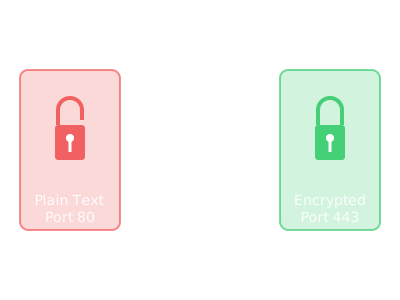
You've seen the URLs: http:// and https://. That extra s stands for "secure" — but what does that really mean? Let's break down what changes when you upgrade from HTTP to HTTPS.
The Core Difference: Plain Text vs. Encrypted
HTTP sends data as plain text. Anyone between you and the server — your ISP, your coffee shop's router, a hacker on the same Wi-Fi — can read every byte.
HTTPS wraps HTTP in a layer of encryption (TLS, to be specific). Data travels scrambled. Even if intercepted, it looks like gibberish without the decryption key.
What Stays the Same
Underneath the encryption, HTTP and HTTPS use the same request/response model:
HTTPS doesn't change *what* you send — it changes *how securely* it travels.
Curious how a URL gets from your browser to a server? Read The Journey of a URL.
What HTTPS Adds: Encryption
With HTTPS, three things are encrypted:
This means:
Want more detail? Check out What That Padlock Really Means.
What HTTPS Adds: Authentication
HTTPS doesn't just encrypt — it *authenticates*. Before any data is sent, your browser verifies the server's identity via a digital certificate.
This prevents man-in-the-middle attacks where an attacker pretends to be the real server. With HTTP, there's no verification. With HTTPS, the browser checks: "Is this really google.com, or an imposter?"
If the certificate is invalid or expired, you see a scary browser warning. That's HTTPS protecting you.
Learn more about DNS security in What DNS Does.
What HTTPS Doesn't Protect
Important: HTTPS only protects data *in transit* — while it's traveling between you and the server. It does NOT:
HTTPS secures the connection, not the intentions of whoever runs the website. That padlock icon tells you the connection is encrypted — not that the site itself is trustworthy. Learn what the padlock really means.
Performance: HTTPS Used to Be Slower
Early HTTPS was noticeably slower because of the TLS handshake overhead. Modern HTTPS is nearly as fast as HTTP thanks to:
Today, HTTPS performance is so good that the web is migrating entirely to HTTPS. HTTP is becoming legacy.
Ports: Different Defaults
This is just convention. You can run HTTPS on any port, but 443 is standard so browsers assume it when you type https://example.com.
Curious about ports? Read What a Network Port Is.
The Web Is Moving to HTTPS-Only
Browsers now mark HTTP sites as "Not Secure." Many features (geolocation, camera access, service workers) require HTTPS. Google ranks HTTPS sites higher.
The industry consensus: HTTPS should be the default everywhere. The incremental cost is minimal; the security benefit is huge.
How to Switch from HTTP to HTTPS
If you run a website:
Modern hosting platforms (Vercel, Netlify, Cloudflare Pages) do this automatically. There's no reason not to use HTTPS in 2026.
The Takeaway:
HTTP sends data in plain text. HTTPS encrypts and authenticates it. The difference is one letter in the URL — but miles apart in security. Always prefer HTTPS, and be wary of sites that don't offer it.
Related bits: What That Padlock Really Means • The Journey of a URL • What DNS Does • What a Network Port Is
Related Posts
Git Branch vs Commit: What's the Difference?
Branches and commits are both fundamental to git — but they work in completely different ways. Here's what each one does and why it matters.
no-cache vs no-store: What's the Difference?
Cache-Control: no-cache doesn't mean 'don't cache'. Here's what no-cache and no-store actually do, when to use each, and why the names are misleading.
What Is an ETag? A Plain-English Q&A
Common questions about HTTP ETags answered in plain language — fingerprints for cached content, If-None-Match, 304 Not Modified, strong vs weak validators, and how they fit with Cache-Control.